Instant replay
Choose how much of the last 10 seconds to 60 minutes a keybind should save.
Clipdeck keeps a replay ready in the background. Press a key to save what just happened, then watch and trim your clips without leaving the app.
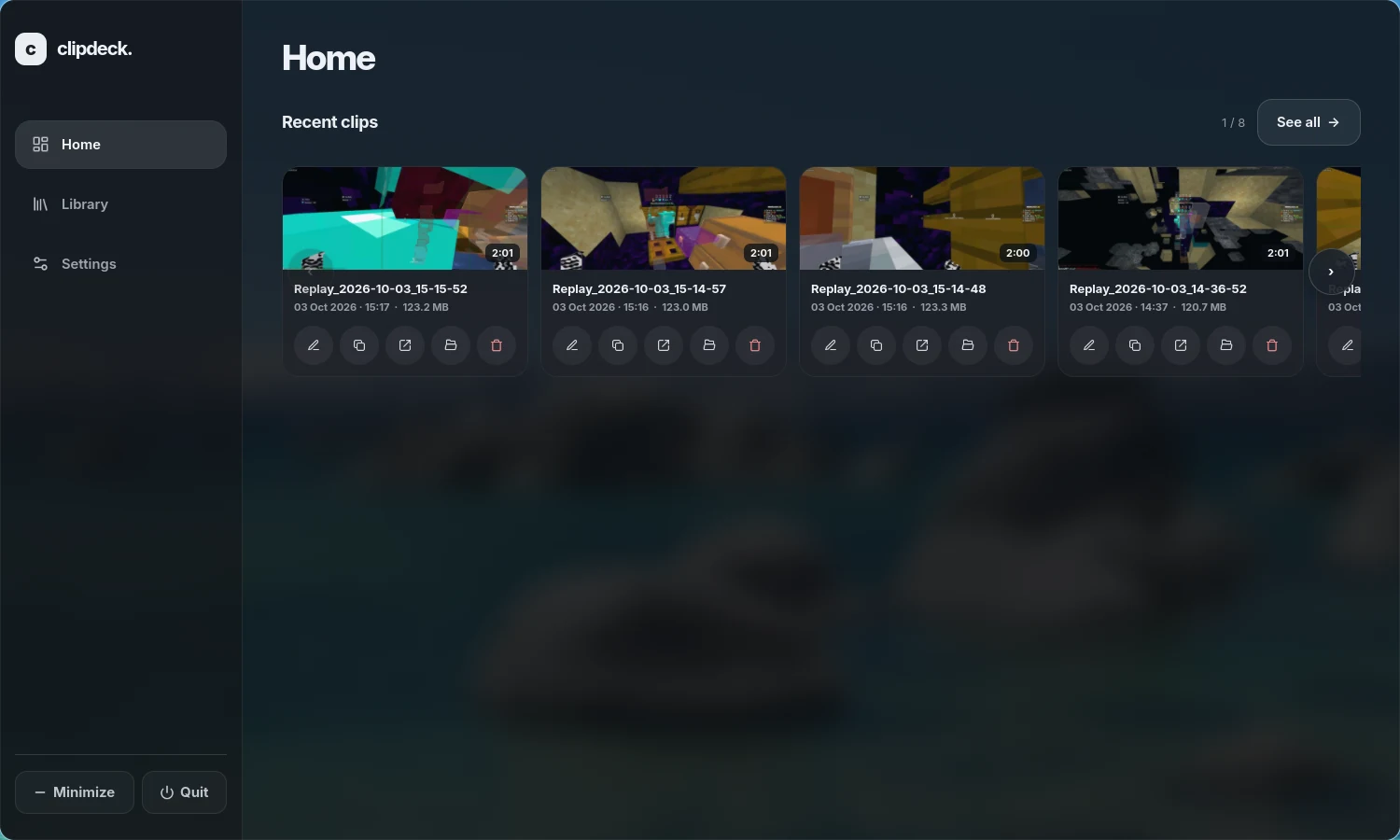
Browse the app before you install it.
Home · Your most recent clips are always close by.
Capture, review, and keep the good parts in one place.
Choose how much of the last 10 seconds to 60 minutes a keybind should save.
Play clips in Clipdeck, scrub to a moment, adjust speed, and trim a copy.
Capture desktop sound, choose a microphone, and test it before you play.
Clips and settings stay on your computer. No account, upload, or cloud library.
Clone the project and run the installer as your normal user. Clipdeck will appear in your application menu.
The Arch setup has been tested on a real machine. Capture support also depends on your GPU, driver, desktop session, and screen-sharing portal.
The installer checks dependencies, adds a launcher, and can start background capture at login.
Not tested on Ubuntu or Linux Mint yet. This installation path may need manual fixes.
Example packages for Ubuntu 24.04 and Linux Mint 22.
sudo apt update
sudo apt install git meson ninja-build pkg-config build-essential \
  libavcodec-dev libavformat-dev libavutil-dev libswresample-dev libavfilter-dev \
  libx11-dev libxcomposite-dev libxrandr-dev libxfixes-dev libxdamage-dev \
  libwayland-dev wayland-protocols libva-dev libpulse-dev libdrm-dev libcap-dev \
libdbus-1-dev libpipewire-0.3-dev libglvnd-dev libvulkan-dev linux-libc-devBuild from the official source, then check that both system commands exist.
cd "$HOME"
git clone https://repo.dec05eba.com/gpu-screen-recorder
cd gpu-screen-recorder
sudo ./install.sh
command -v gpu-screen-recorder && command -v gsr-cliContinue when both commands above print a path.
git clone https://github.com/Filip1x3/clipdeck.git && cd clipdeck && bash ./install.shKeep the cloned folder in place; the launcher uses its path. Run bash ./install.sh --check to check dependencies first.
The Flatpak alone does not expose gpu-screen-recorder and gsr-cli on the host for Clipdeck. Check the upstream dependency list if the source build fails.
Open a terminal in the Clipdeck folder you cloned, then choose what you need.
Quit Clipdeck first. Pull the latest version and refresh the app launcher, then open it again.
bash ./update.shOlder checkout without update.sh? Run git pull --ff-only && bash ./install.sh --no-deps once.
Quit Clipdeck first. Remove its launcher, autostart and shortcuts from your account.
bash ./uninstall.shOlder Git clone without uninstall.sh? Run git pull --ff-only && bash ./uninstall.sh. No reinstall needed.
Your clips and recording settings stay on your computer. Delete the cloned folder yourself afterward. To reinstall, use the install command above.
Clipdeck uses GPU Screen Recorder for capture. Open the app when you want to browse clips or change settings.
Minimize the window and keep replay capture available from the tray.
Set a keybind, clip length, microphone, audio source, and file-size limit.